COMPANY · Getting started
Company Defaults
Maintain the company information and operating defaults used across LedgerSL.
Chart of Accounts
In LedgerSL, open Company Defaults and choose Browse Accounts at the lower right.
View the Chart of Accounts screenshot and features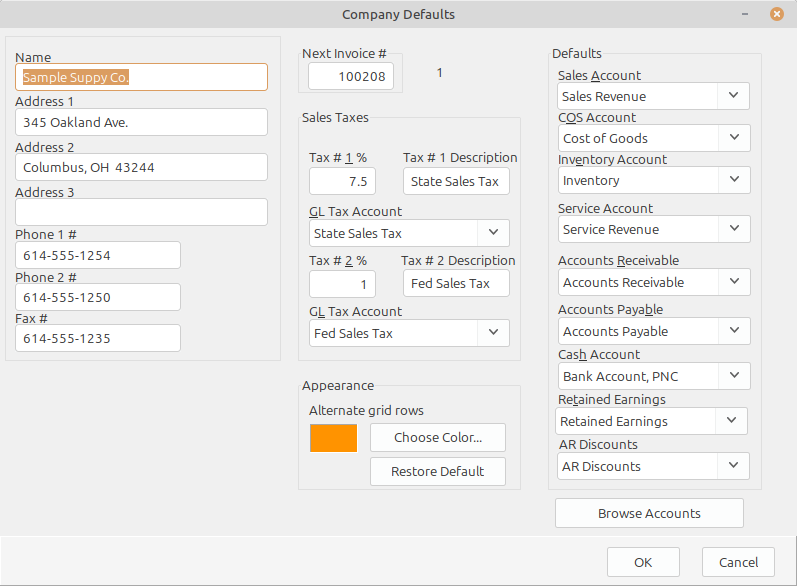
What it does
Maintain the company information and operating defaults used across LedgerSL.
Store the company identity and contact information shown on Consoles and reports.
Set sales taxes, default accounts, and alternate grid-row color.
Choose Browse Accounts to open the Chart of Accounts and maintain or print the account list.
Connected workflow
A single-location company can use one meaningful location, division, and department. A business with several locations or operating areas can add the detail it needs without changing the accounting workflow.