Browse the Chart of Accounts
Organize the accounts used to classify assets, liabilities, equity, income, and expenses.
Where to find it
From the Main Console, open Company Defaults, then choose Browse Accounts.
For a new chart, use Company > Company Setup Wizard > Step 4: GL Accounts to load the starter chart or import accounts from CSV.
What it does
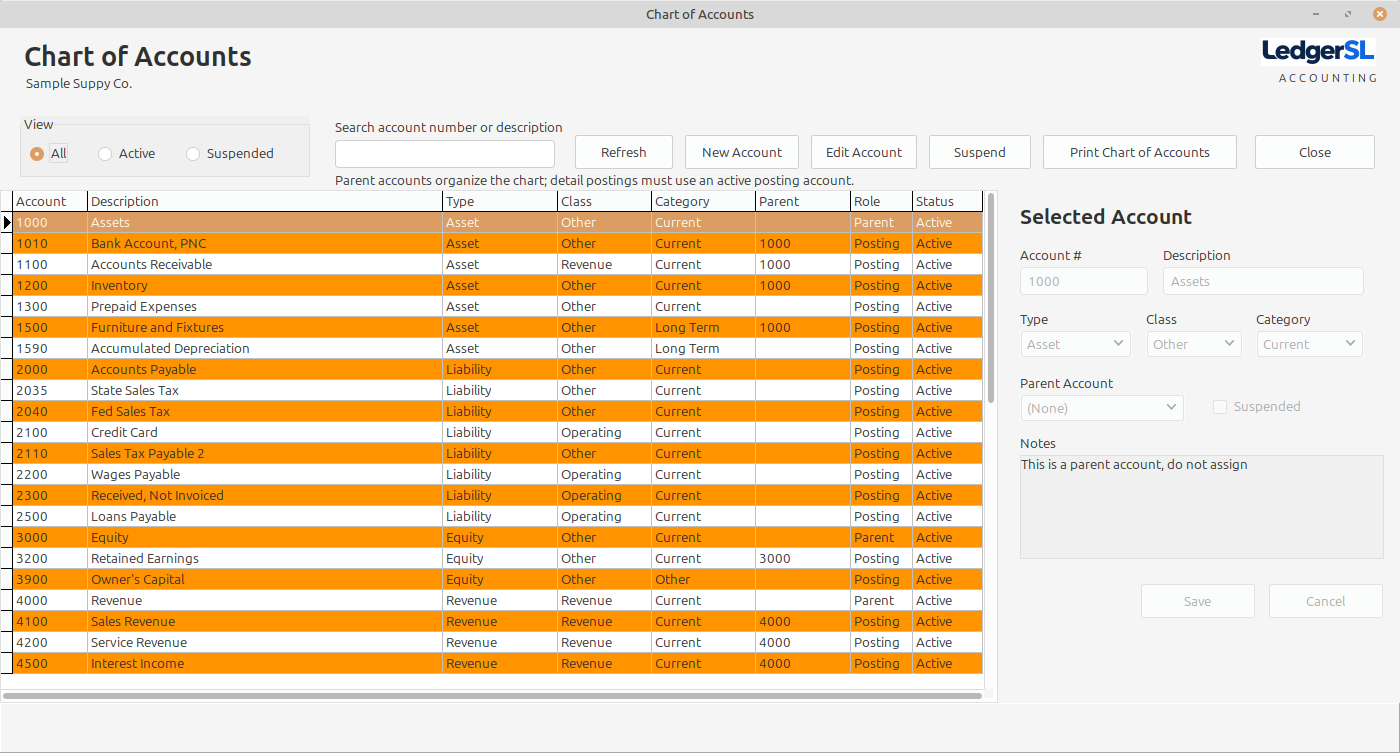
The Chart of Accounts is the structure behind posting and financial reporting throughout LedgerSL.
Open Company Defaults from the Main Console, then choose Browse Accounts.
Search by account number or description, and filter All, Active, or Suspended accounts.
Create or edit accounts and print the Chart of Accounts.
Use account types to place balances on the correct statements.
Suspend accounts that should no longer receive new activity.
Use parent accounts to organize the chart and active posting accounts for transaction detail.
A clear account structure supports reliable posting and meaningful financial statements.