New in LedgerPG · October 17, 2026
See where the results differ from the plan.
Set income and expense budgets for your fiscal year, compare them with posted activity, and follow a difference back to the journal lines. Period and year-to-date figures stay together, with income, expense, and net totals below the accounts.
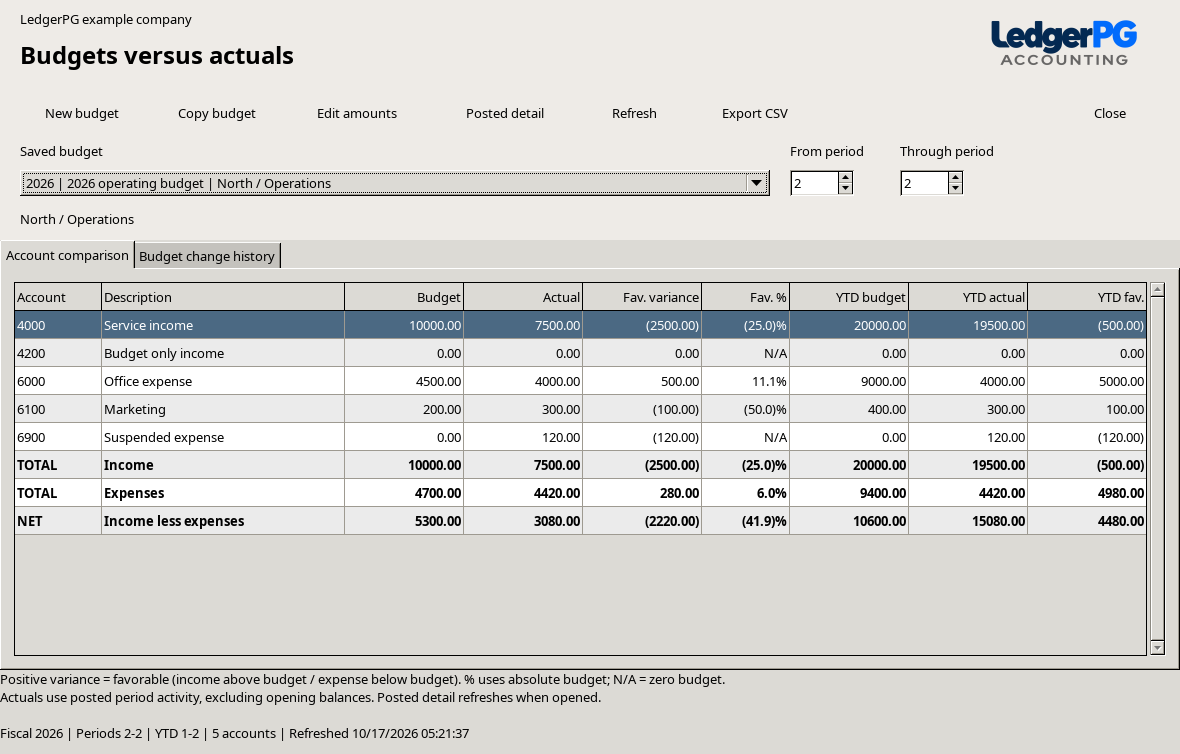
A named budget for the scope you manage.
Choose a fiscal year and a division and department, or select all divisions and departments for a company-wide plan. Each budget keeps that scope, so its actuals use the same selection. Create separate budgets for different scopes or planning scenarios.
- Twelve fiscal periods
- Enter income and expense amounts by account and period. Period names and dates come from your General Ledger calendar, including fiscal years that begin outside January.
- Spread an annual amount
- Enter a yearly amount and distribute it across all twelve periods. Remaining cents go to the first periods so the entries add up exactly. Adjust individual periods before saving.
- Copy a saved plan
- Create an independent budget with the same scope and amounts. Choose another fiscal year to carry the amounts forward by period number.
- Keep the change history
- Saved amount changes record the user, time, and old and new figures. If someone else changes the budget while you are editing it, refresh and review before saving again.
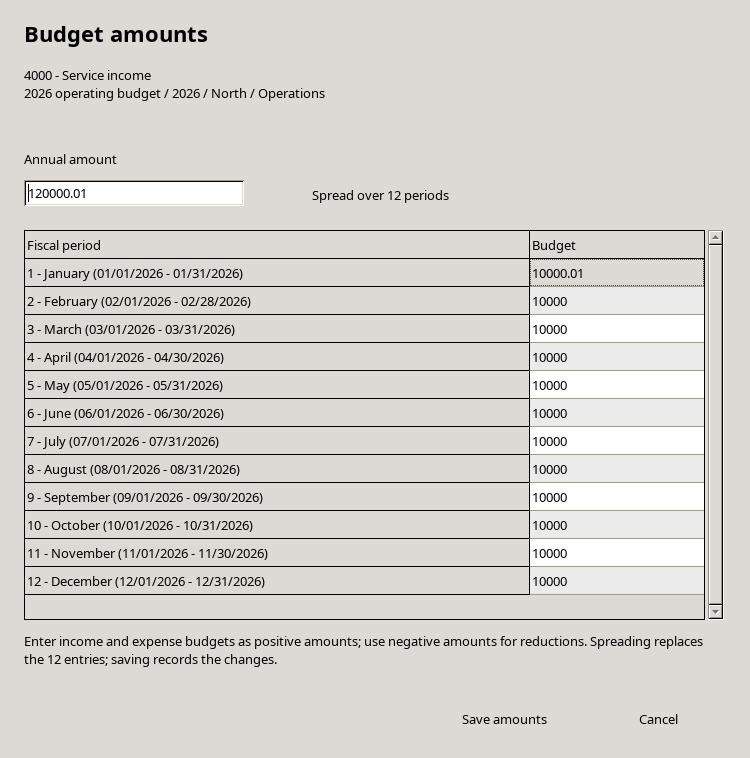
Read period results and year-to-date together.
Choose a starting and ending fiscal period. The comparison shows budget, actual, favorable dollar variance, and percentage variance for that range. YTD shows budget, actual, and favorable dollar variance from fiscal period 1 through the selected ending period.
Income above budget is favorable.
Income variance is actual minus budget. Posted credits increase income; debit adjustments reduce it.
Expense below budget is favorable.
Expense variance is budget minus actual. Posted debits increase expense; credits reduce it.
Actuals include posted journal activity in the selected fiscal periods and scope. Unposted transactions and opening or carryforward balances are excluded. Accounts without a budget and suspended accounts remain visible, so their activity stays in the totals. This workspace covers income and expense accounts.
Follow an actual back to the posted lines.
Select an account and choose Posted detail to see its dates, periods, batch numbers, sources, divisions, departments, descriptions, debits, credits, and signed actual amounts. The detail total makes the selected account activity easy to review.
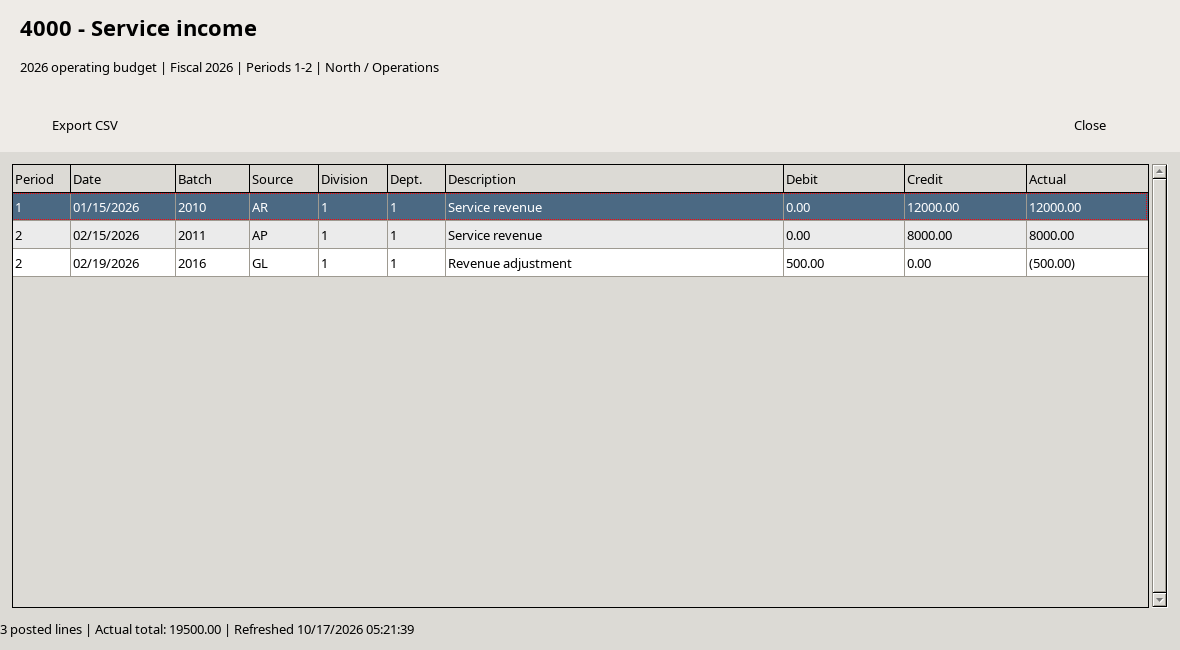
Export either the comparison or the posted detail to CSV, with the budget scope and period information included. Budget entry saves planning amounts independently of accounting transactions.
Open Budgets versus actuals from Workspaces.
Open the updated PG build.
Choose Workspaces → Budgets versus actuals. An administrator opens it once per company to initialize the budget tables. Active General Ledger users and administrators can then use the workspace.
Create a budget and enter amounts.
Define all twelve periods for the fiscal year in General Ledger first. Choose New budget, set its scope, select an account, and choose Edit amounts.
Compare and investigate.
Choose the period range, review the variances, and open posted detail for any account you want to investigate. Use Budget change history to review saved amount changes.
Budgets versus actuals is implemented in the current PG development build. A public LedgerPG installer is not listed yet. Contact us about trying it.
Explore recurring transactions → · Explore Cash-flow Forecast → · Back to the PG overview