New in LedgerPG · October 16, 2026
See what a late payment changes.
Explore a rolling 13-week view of expected receipts, payments, and closing cash. Choose a starting date, enter available opening cash, and compare a scenario with the baseline while keeping its assumptions in view.
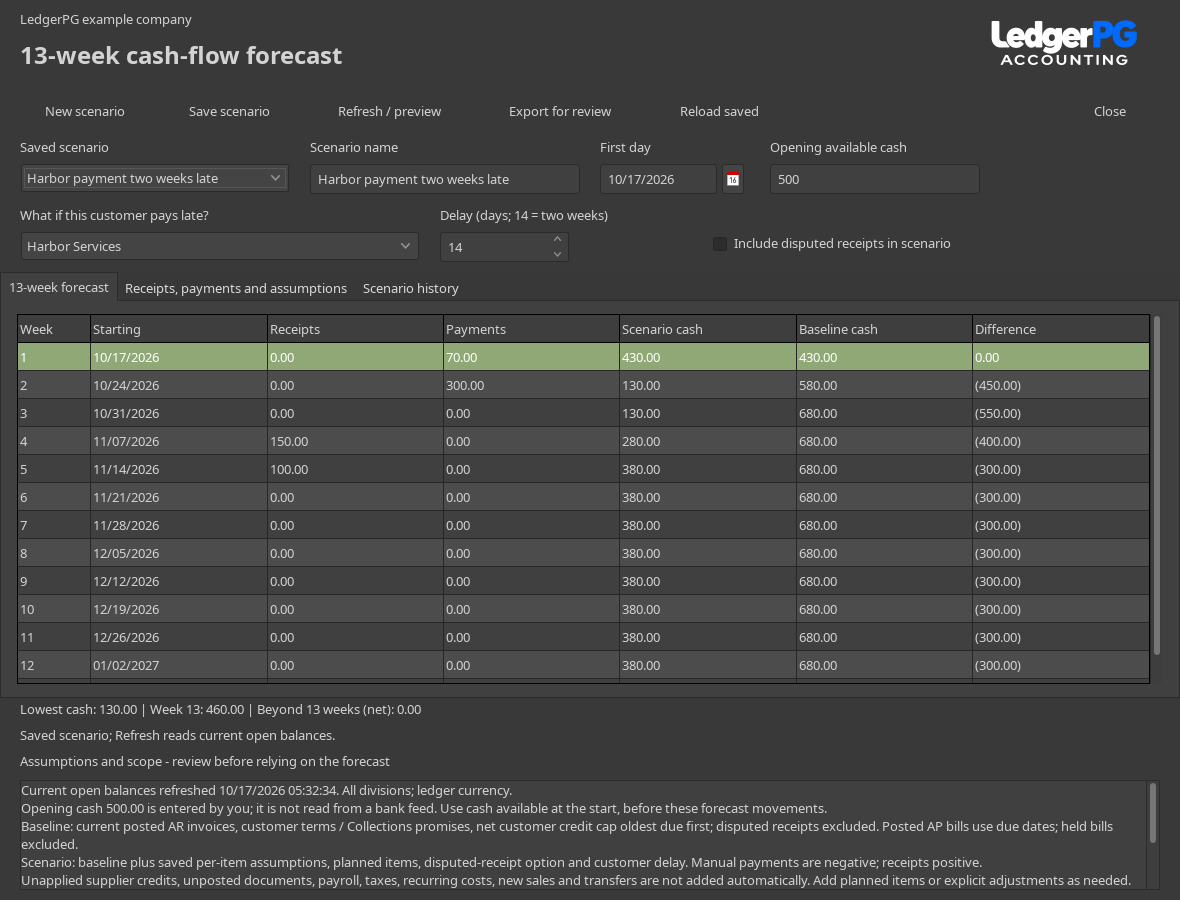
Ask, “What if this customer pays two weeks late?”
Set the starting point.
Choose the first day and enter the cash available at the start, before the forecast movements. The opening amount is explicit; it is not loaded from a bank feed.
Choose a customer and enter 14 delay days.
The scenario moves that customer's expected receipts two weeks later. The baseline stays in place for comparison. A recorded Collections promise supplies the starting expected date when one exists.
Review the weekly effect.
Compare scenario and baseline closing cash, see the lowest cash position, and check amounts pushed beyond week 13. Weeks run in seven-day blocks from your selected first day.
Save the scenario and its assumptions.
Give it a name, save it, and revisit it later. Refresh reads current open balances. Adjust the first day to roll the forecast forward.
The comparison reflects all scenario assumptions, including manual planned items and individual overrides as well as the customer delay. It does not change customer promises, invoices, payments, or journals.
Keep the reason beside the amount.
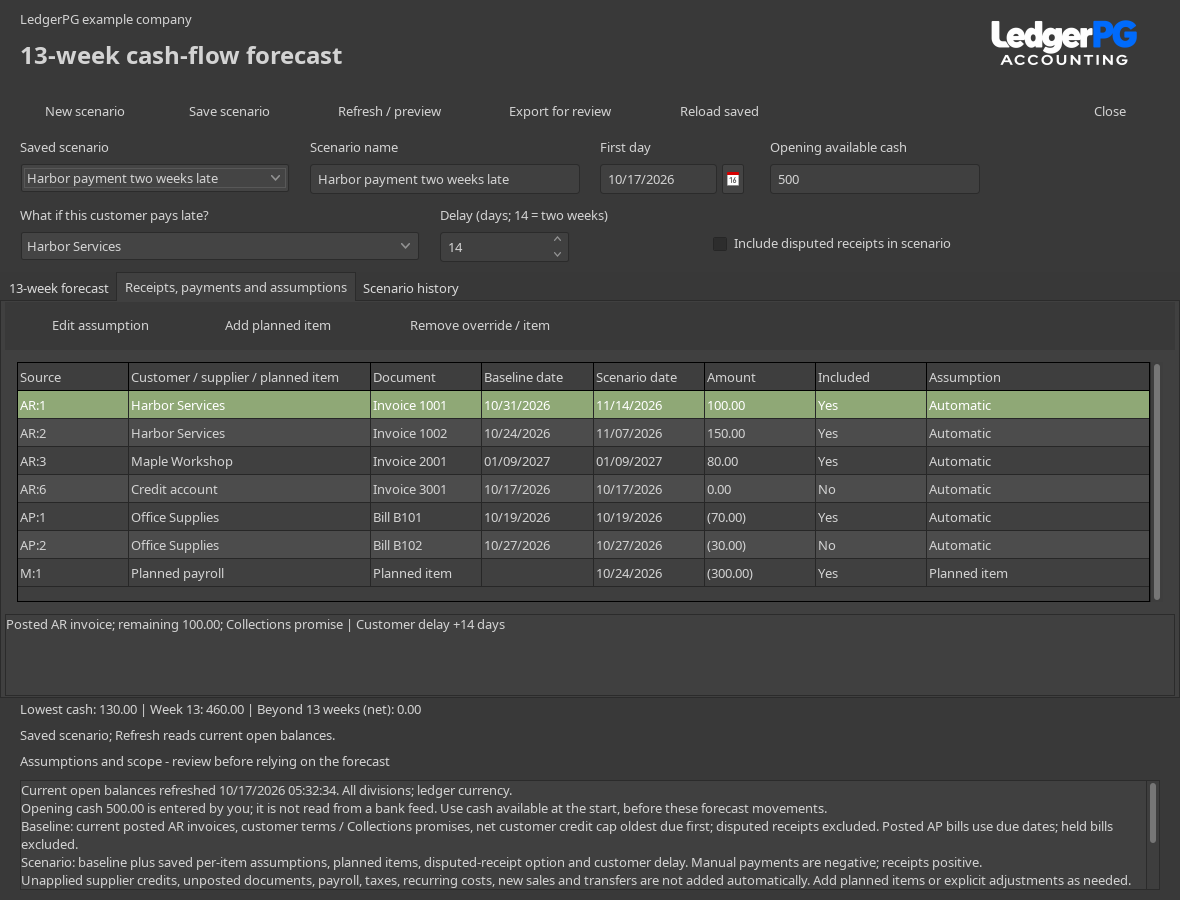
The detail view shows every source, customer or supplier, baseline date, scenario date, amount, and inclusion status. Select a row to read how it was calculated or why it was changed.
- Adjust individual movements
- Override an expected date or amount, or include or exclude an item. Positive amounts are receipts; negative amounts are payments. The customer delay applies after the per-item expected date.
- Add what is not in the books yet
- Add planned payroll, rent, taxes, new sales, or other movements. These affect the scenario and remain separate from the automatic baseline.
- Review changes over time
- Scenario history records who changed settings and assumptions. Conflicting edits require a reload. Removing an override restores the automatic default; its earlier change remains in the history.
- Export with the assumptions included
- The review document includes the weekly forecast, calculation scope, and detailed movements. Edit and export a text or printable HTML copy for discussion.
Know what the forecast includes.
- Receipts: current posted open AR invoices, using Collections promise dates or customer terms. Automatic receipts are capped at the net customer ledger balance, assigning the available receipt amount to the oldest due invoices first.
- Payments: current posted open AP bills, using the due date or invoice date when no due date is present.
- Disputes and holds: disputed receipts and held supplier bills are excluded from the baseline. The scenario can include them through its options or an explicit assumption.
- Overdue items: items dated before the forecast start roll into week 1. Items beyond 91 days remain visible in the detail but do not enter closing cash inside the horizon.
Unapplied supplier credits, unposted documents, payroll, taxes, recurring costs, new sales, and transfers are not added automatically. Review expected payments and add planned items or adjustments as needed.
Open Cash-flow Forecast from Workspaces.
Choose Workspaces → Cash-flow Forecast, or press Ctrl + Shift + F. An administrator opens it once per company to initialize its tables. Access requires Receivables, Payables, and General Ledger permissions together, or administrator access.
The forecast is implemented in the current PG development build. A public PG installer is not listed yet. Contact us about trying LedgerPG.
Explore Collections and payment promises → · Back to the PG overview