New in LedgerPG · October 16, 2026
Keep the next customer follow-up in view.
See the open invoice, what was discussed, and when to follow up. Collections brings customer statements, dated notes, disputes, promised payment dates, and reminder drafts into one workspace.
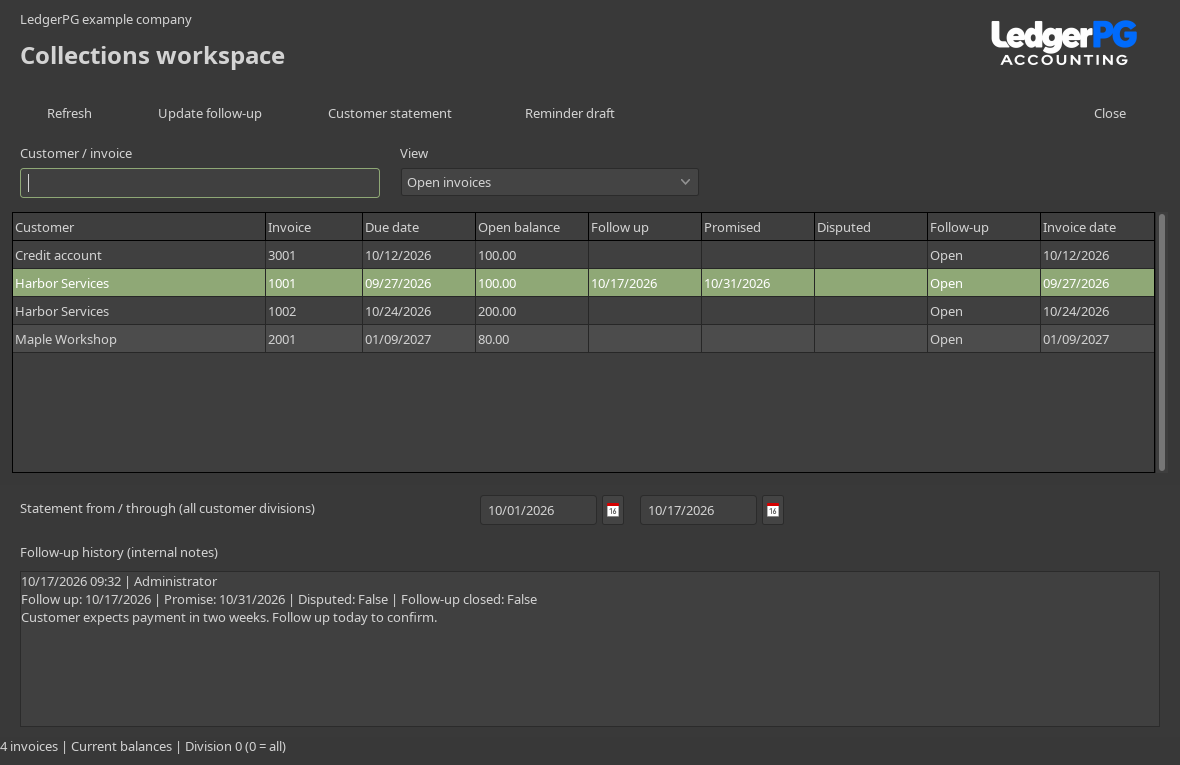
Record the conversation and the next step.
Search by customer or invoice, then choose Update follow-up. Add a note, choose the next contact date, record a promised payment date, or mark an invoice as disputed. Every change keeps the author, time, dates, and status in the internal history.
- Open invoices and settled history
- The default view shows posted invoices with a remaining balance in the working division. Separate views show due follow-ups, disputes, promises, and settled history.
- Promises and disputes
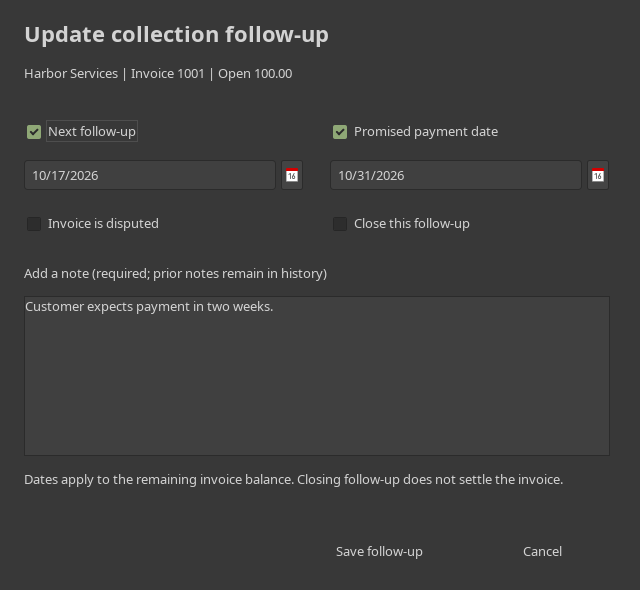
- Promise dates apply to the remaining invoice balance. A dispute stays visible for review. Closing a follow-up stops its work-list reminders; it does not settle or write off the invoice.
- Notes that remain available
- Earlier notes remain in the history. If another user changes the follow-up while it is open, LedgerPG asks you to refresh before saving.
Put due follow-ups into the Daily Work List.
The new Collection follow-ups view includes unpaid invoices with a follow-up due by the selected work date, or a payment promise before that date. A promise due today is not yet marked missed.
Open Selected takes you to the invoice in Collections. Settled invoices and closed follow-ups drop out of the list. Refresh the work list after making changes in another window.

Prepare customer documents for review.
Choose a statement date range to see the opening balance, transaction activity, debits, credits, running balance, and closing account balance. Customer statements cover all of that customer's divisions, with the scope printed on the document.
A reminder draft uses today's balances. It lists eligible overdue invoices, excluding disputes, settled invoices, closed follow-ups, and promises due today or later. The amount for review is capped at the customer account balance.
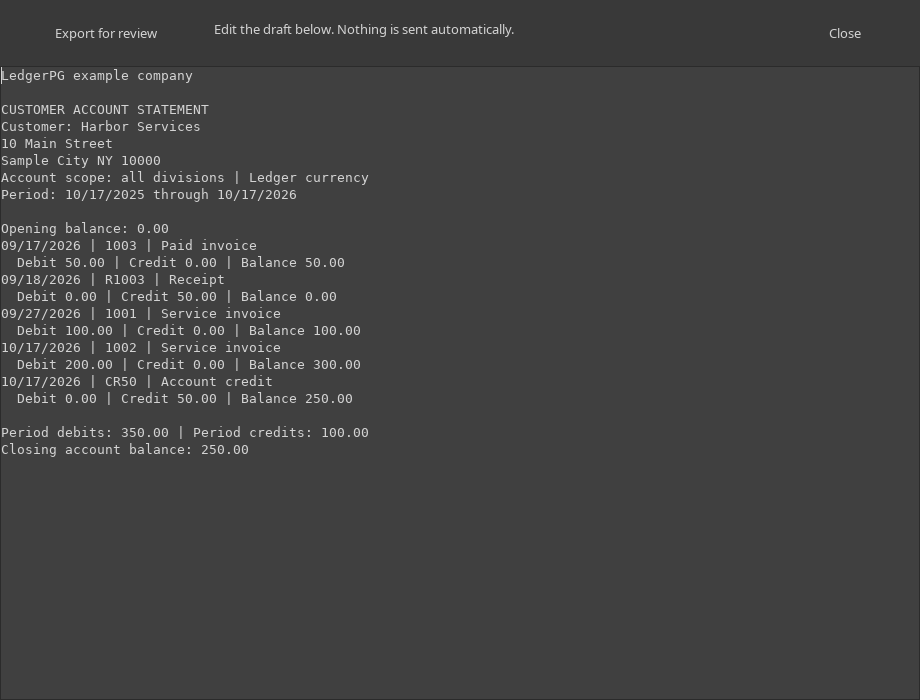
Review the wording, credits, payments, and customer details, then export a text document or printable HTML copy. Open the HTML file in a browser to print. Documents are not sent automatically; export edits you want to keep before closing the review window.
Open Collections from Workspaces.
In LedgerPG, choose Workspaces → Collections, or press Ctrl + Shift + C. An administrator opens it once per company to initialize its tables. An active Receivables or administrator login can use the workspace.
Collections is implemented in the current PG development build. A public LedgerPG installer is not listed yet. Contact us about trying it.
Explore the 13-week cash-flow forecast → · Back to the PG overview