CM · Modules
Contacts
Keep business contacts, companies, groups, and follow-up activity together.
What it does
Keep business contacts, companies, groups, and follow-up activity together.
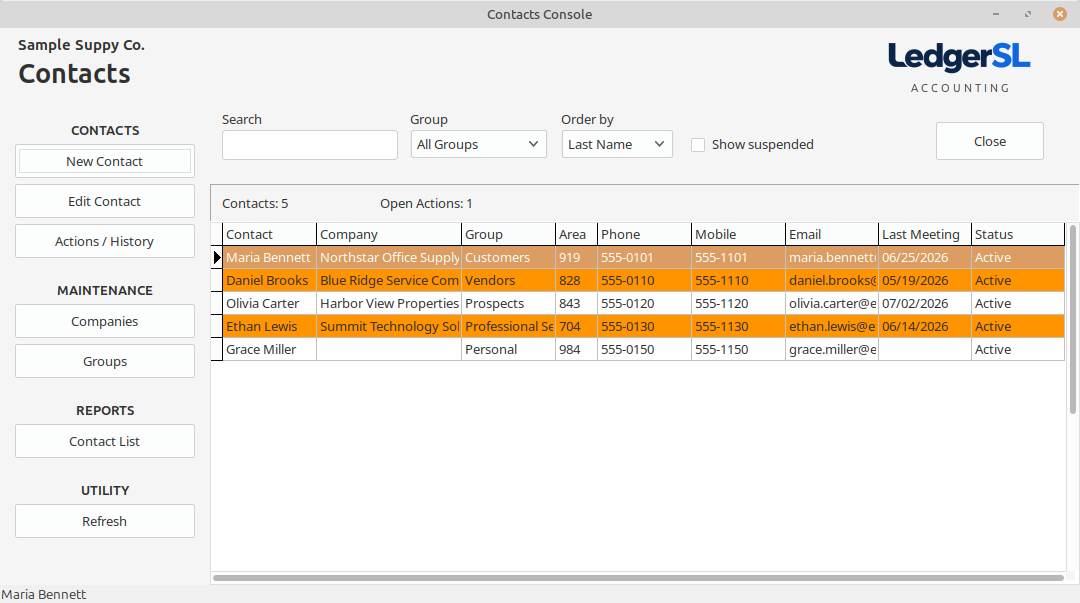
Search contacts, filter by group, and choose the display order.
Create or edit contacts and review their actions and history.
Maintain companies and groups, include suspended contacts when needed, and print a contact list.
Connected workflow
A single-location company can use one meaningful location, division, and department. A business with several locations or operating areas can add the detail it needs without changing the accounting workflow.