REPORT

Run General Ledger reports

Move from account setup and transaction detail to financial review.
GL ReportsLedgerSL SQLite Edition
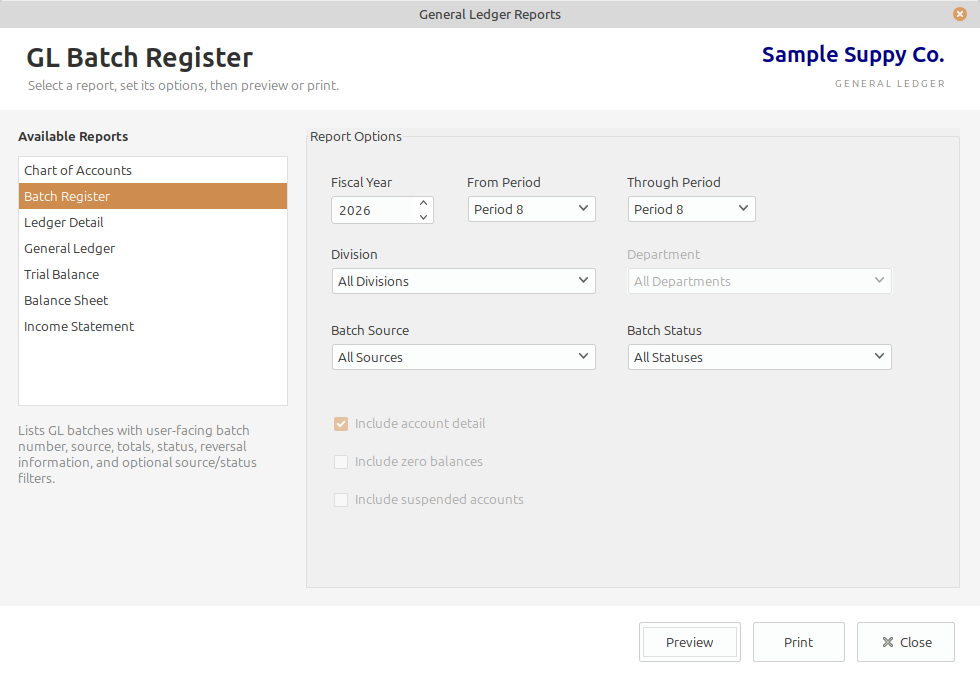
LedgerSL General Ledger Reports screen showing the available reports and fiscal year, period, division, department, source, and status options
One report center keeps the available GL reports and their relevant accounting filters together before preview or printing.

What it does

The report center provides the core reports needed to inspect activity and understand the company’s financial position.

Chart of Accounts and Ledger Detail.

General Ledger and Trial Balance.

Balance Sheet and Income Statement.

Filters for fiscal year, periods, division, department, detail, zero balances, and suspended accounts where applicable.

Report examples

From activity to financial statements.

Each report uses the same fiscal filters and carries the company, reporting period, printed date, and page information into a clear preview.

01

GL Batch Register

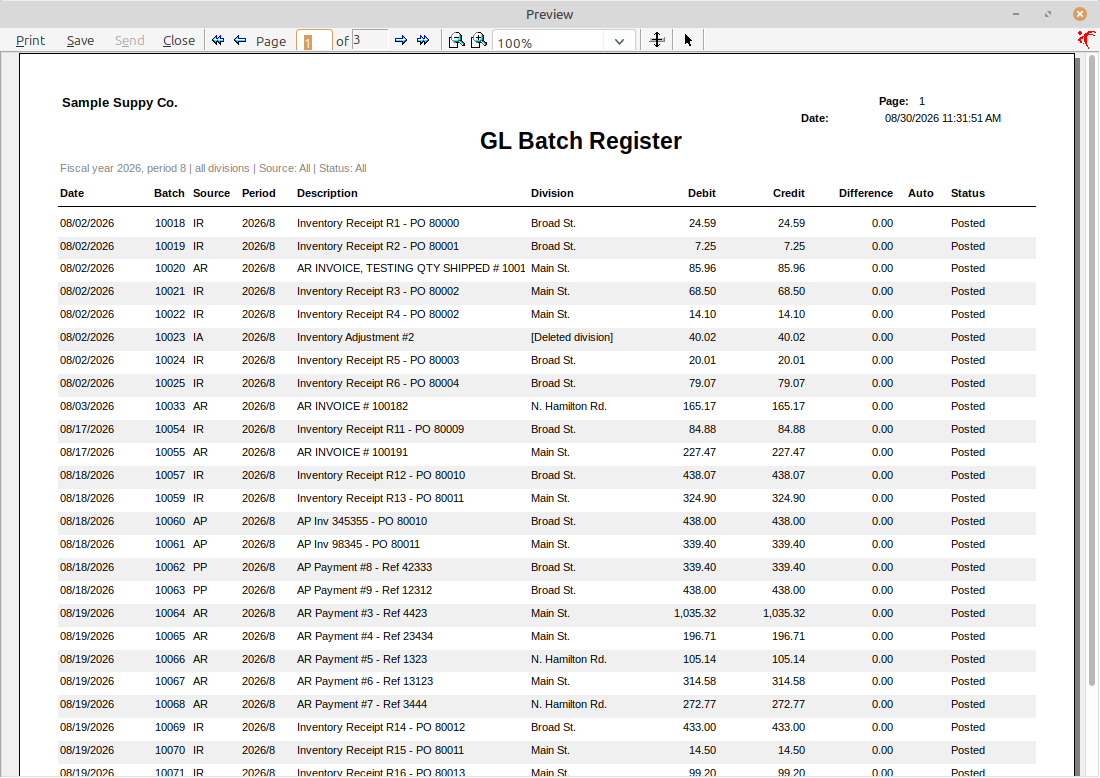
Review batches by date, source, fiscal period, description, division, debit, credit, difference, automatic-entry flag, and posting status.
GL Batch RegisterLedgerSL SQLite Edition
LedgerSL GL Batch Register preview showing posted batches, sources, periods, divisions, debit and credit totals, differences, and status
The Batch Register turns posting activity into a readable audit and review list.
02

General Ledger

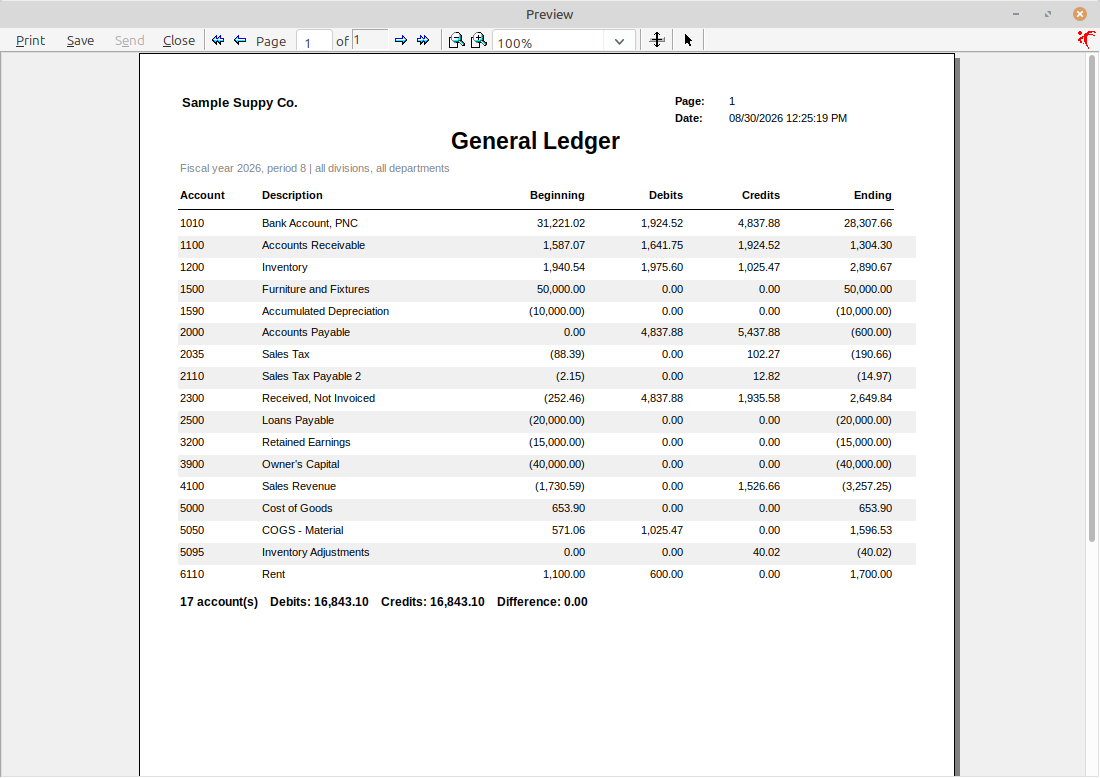
See each account’s beginning balance, period debits and credits, and ending balance in one concise account-level view.
General LedgerLedgerSL SQLite Edition
LedgerSL General Ledger report preview showing account numbers, descriptions, beginning balances, debits, credits, ending balances, and totals
Beginning activity and ending balances stay aligned, with balanced debit and credit totals confirmed below the report.
03

Trial Balance

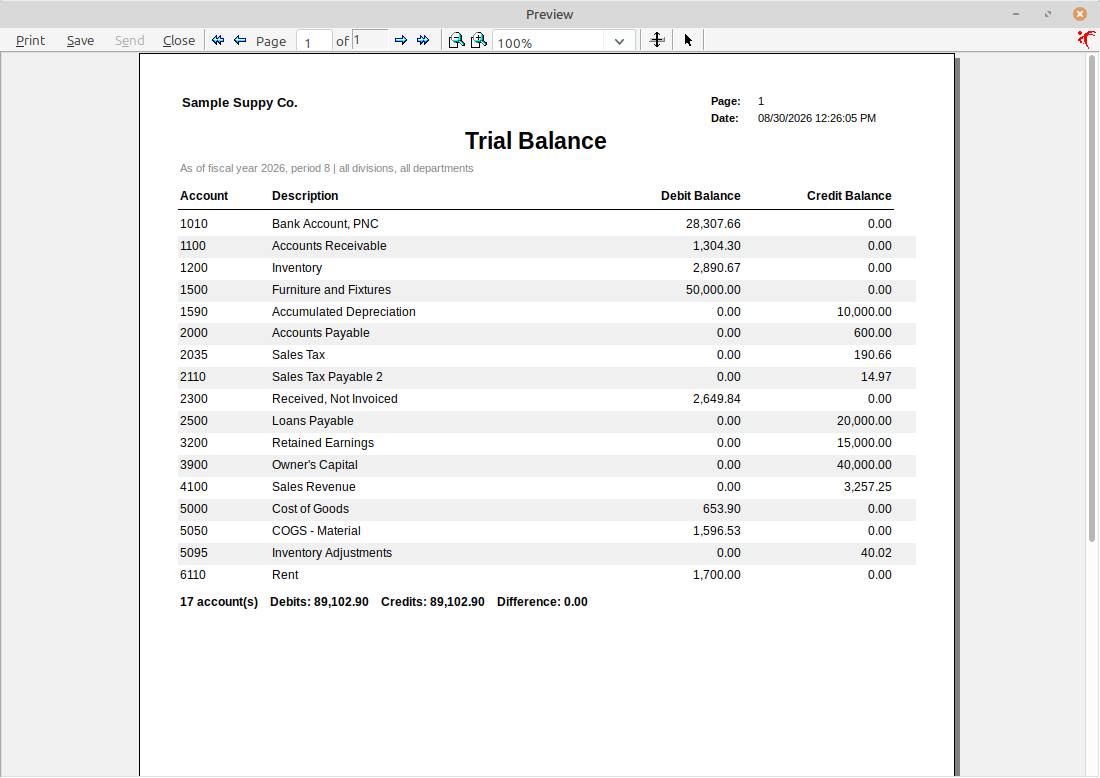
Compare debit and credit balances by account and confirm that the ledger remains in balance before producing financial statements.
Trial BalanceLedgerSL SQLite Edition
LedgerSL Trial Balance preview showing account numbers, descriptions, debit balances, credit balances, and a zero difference
Separate debit and credit columns make the balancing check immediately visible.
04

Balance Sheet

Present assets, liabilities, equity, current earnings, and the final accounting-equation difference for the selected period.
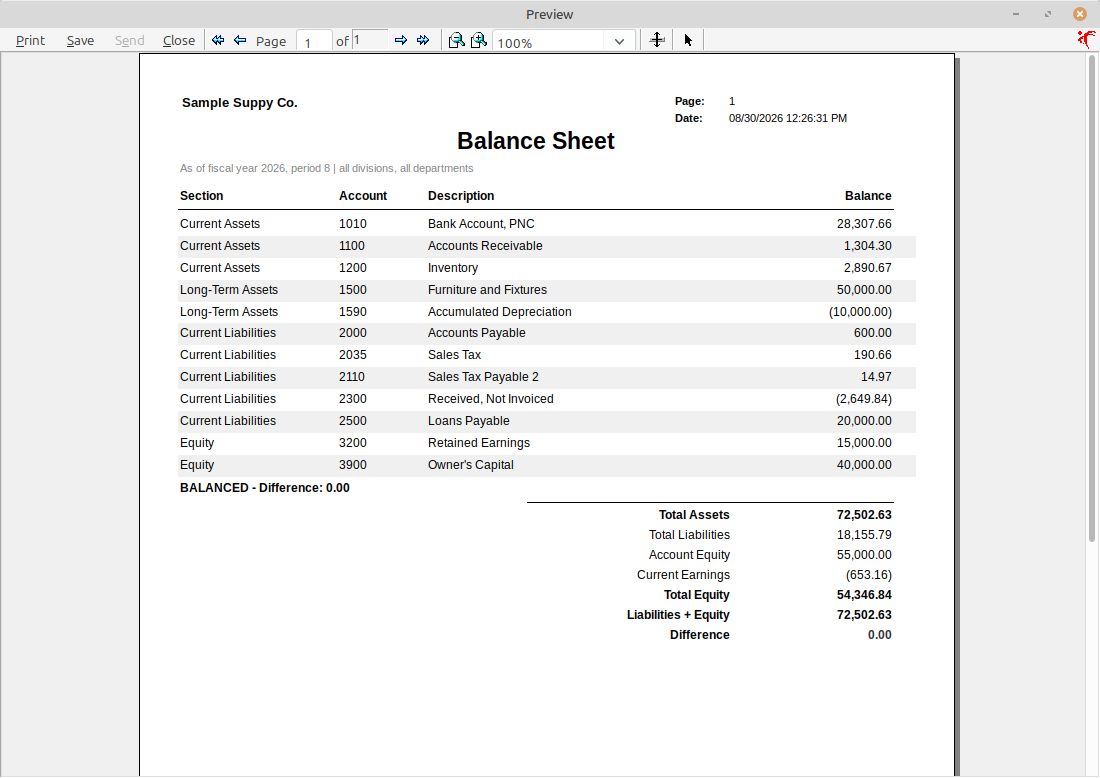
Balance SheetLedgerSL SQLite Edition
LedgerSL Balance Sheet preview showing asset, liability, and equity accounts with statement totals and a zero difference
Statement totals clearly confirm whether assets agree with liabilities plus equity.
05

Income Statement

Review revenue, cost of sales, gross profit, operating expenses, and net income for both the selected period and year to date.
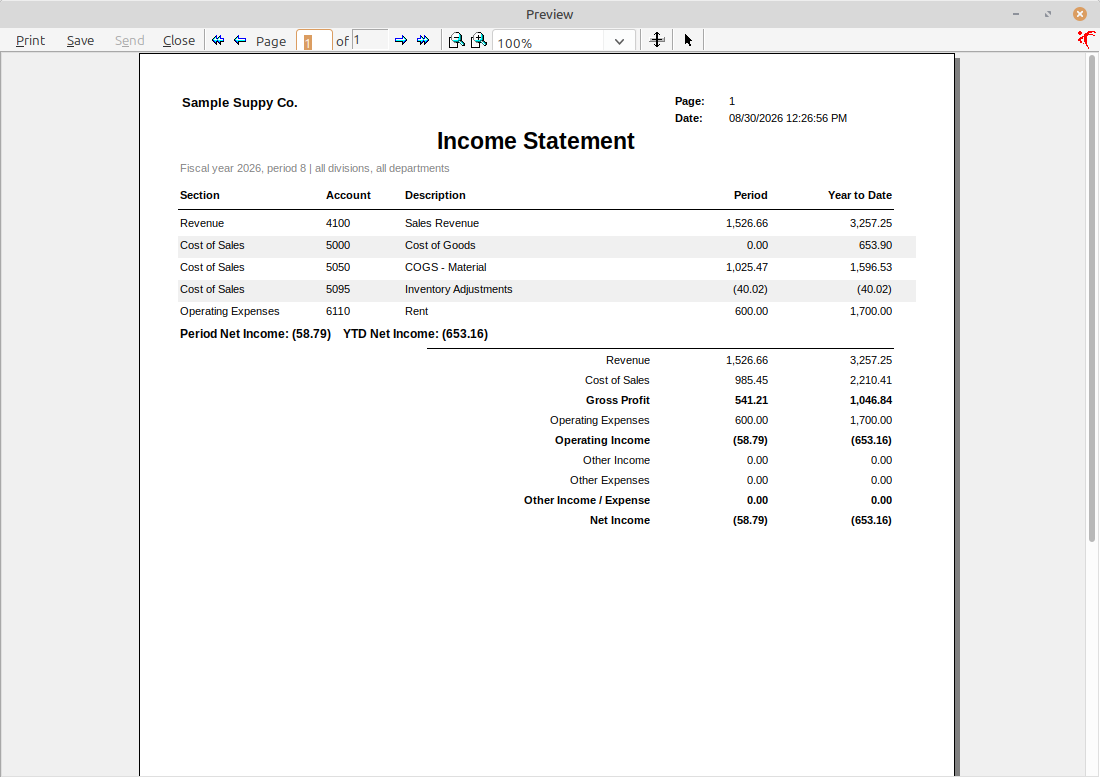
Income StatementLedgerSL SQLite Edition
LedgerSL Income Statement preview showing revenue, cost of sales, expenses, and period and year-to-date net income
Period and year-to-date columns keep current performance and the larger fiscal picture side by side.
Accounting result

Users can preview or print the accounting detail and financial statements needed for review.