CASH
Reconcile the ledger to the bank
Compare recorded cash activity with the bank statement and identify the remaining difference.
What it does
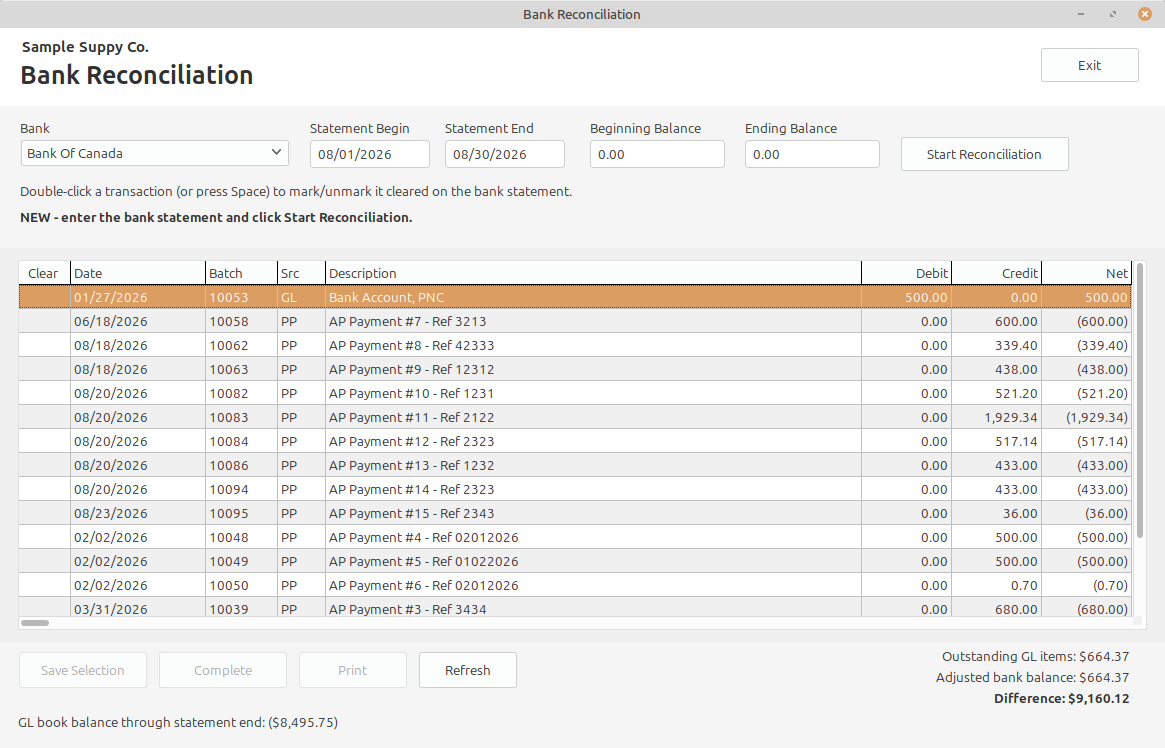
Bank Reconciliation helps confirm that checks, deposits, and other cash transactions are recorded and cleared correctly.
Select the bank account, statement dates, and statement balances.
Mark matching transactions as cleared by double-clicking or pressing Space.
Review debit, credit, net, outstanding-item, and adjusted-balance information.
Finish when the reconciliation difference reaches zero.
Accounting result
The cleared ledger activity agrees with the bank statement while outstanding items remain identifiable.